

If you have an Amazon E-Commerce store, product images are the superheroes of all. Meanwhile, optimized images would let you increase overall sales. It also makes sure your images pop up more often in search results. And your customers would get to see your product more clearly than ever.
Even optimized images help customers in better understanding your products. According to several case studies, images play the biggest role in converting visitors into customers. With my image optimization tips and tricks, your store sales would go into the upper trajectory. These optimized Images work like magic to attract your potential customers.
Let’s apply these techniques right now.
Table of Contents
ToggleAmazon Image Requirements to Follow
First, you have to follow certain Amazon image technical requirements. Those are the core of well-optimized images. And these rules make sure your image ranks well and get search traffic.
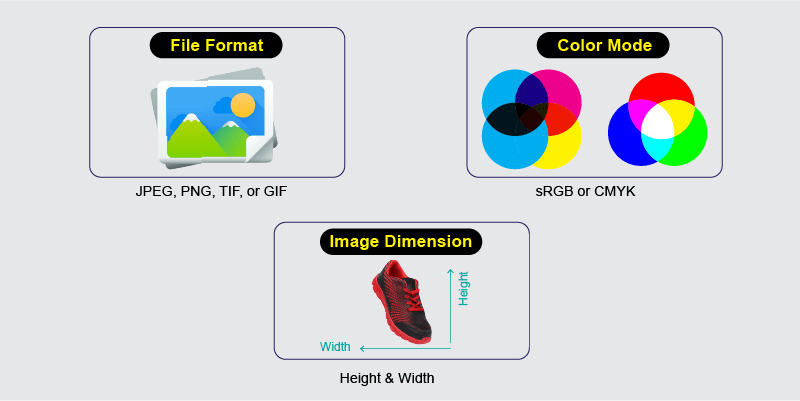
File Format
Your image must be in between JPEG, PNG, TIF, or GIF. Any other file beyond these formats is not allowed. Among all JPEG and PNG images works the best.
Color Mode
The product image must be at least in sRGB or CMYK mode. So, check out the color mode before uploading the image file.
Image Dimension
While you format the product image, make sure it is at least 1000 x 1000 px (height, weight). The image should not be below the 1000 px benchmark. Larger image sizes are better for the visibility of your products.
Product Image File Name
When you choose your image file name, please include the product identification number in it. For example, use the Amazon ASIN number of your product. In addition, you could use JAN, EAN, SBIN, or UPC numbers. It’s a must.
Note that your product image will not appear in the search result if you put spaces or any other character in the file name.
No Texts on Primary Product Image
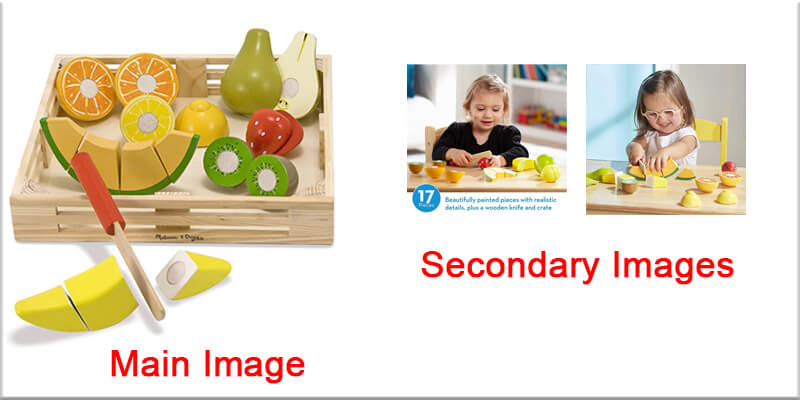
Don’t use any texts on your main(1st) product image. It must be clean and clear. The primary image should not have any distractions at all.
Don't Include Drawings.
If you want to include an artistic 2d drawing of your product, don’t upload it. In addition, you won’t be able to include any digital illustration of your product. Always Use real product images with a pure white background.
Always Avoid Offensive Content
While it comes to product image requirements, stay away from any kind of offensive content. Make it suitable for audiences of all ages. Have inappropriate product images? Better edit these using photo retouching services.
And Others
You could check out the rest of the amazon technical requirements. It would let you prepare yourself to start optimizing your product images.
How to Optimize Amazon Product Images
Optimizing images is the best way to increase sales. As a result, you get higher revenue. But, on the other hand, optimizing product images would let you build up a loyal customer base. So, it’s beneficial for you in both the short and long run.
Here’s how you should optimize your beloved product images to get higher sales:
Scale Product Image Properly
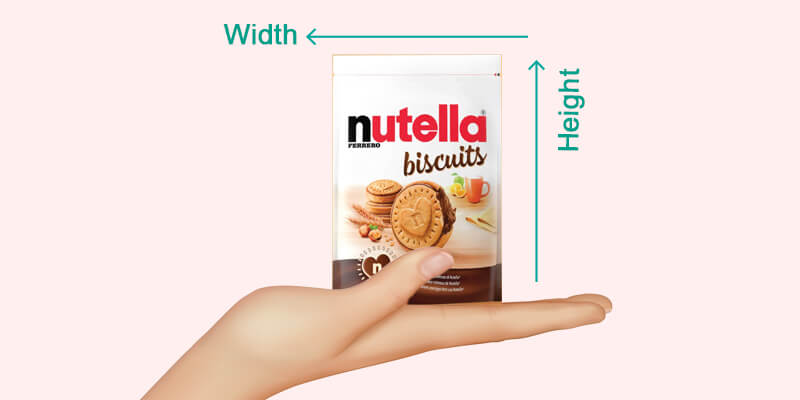
The product image must show you the correct dimensions and size. The customer should not find themself confusing the sizing’s because it’s hard to detect the actual sizing of the product from the screen.
That’s why you should include dimensions in additional product images. It’s also best if you include reference objects besides the product. Believe it or not, it would solve a lot of problems for your customers.
You could also place the product on an existing image. But, make sure you are using professional image editing services for that. Otherwise, it won’t be effective on your sale. So, while uploading the image, keep these things in mind.
Fill Out All 6 Image Slots
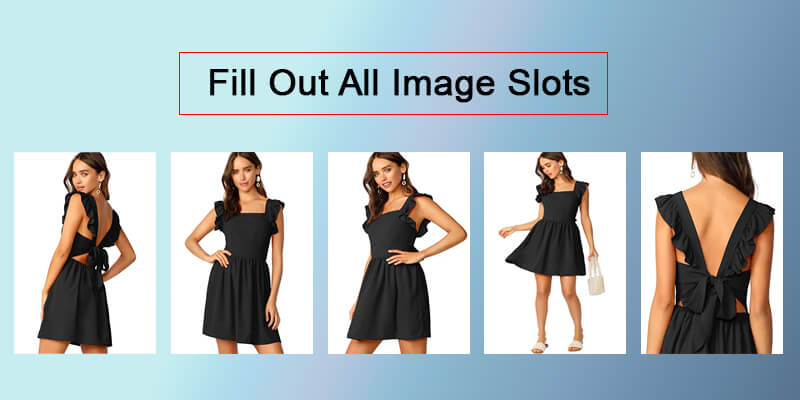
On Amazon e-commerce, you get to add six different images. This is why I am suggesting you use all of the six slots. They are the opportunities to show your product from various angles.
So, you must photograph your product at least more than one time. After you complete taking photos, please choose the best ones and put them in the six slots available in your Amazon store.
But, you should remember, your first picture should be the most prominent, clear, and front-facing. The rest of the five images work as a substitute.
Include Photos with Various Angles
Add Important Bullet Points to The Image
Bullet points are a key element to boost your sales. Most of the time, we list important information in the description. But you also have to add it to your additional product images.
Other than the first image, you have the option to add important bullet points as text format. So, add it, but make sure it’s not overtaking the product itself.
For example, you may be selling a German exported shoe. Add the text “German Exported” to the image. But, don’t make it so big. Make it minimal and place it in any corner of the image. It would work fine.
Fix The Framing
Framing is a major issue for amazon product images. Because your primary product image should cover at least 85% of your image, you must make sure each image has proper framing even other than the primary image.
While shooting product images, always place the product in the center. Afterward, while editing the e-commerce product, keep the product framing in mind.
If you place the product at the middle point with equal space from all around, it would better impact your customer’s attention. Therefore, it would increase sales of that particular product.
Put Images with Products in The Context
Again, not on the primary image, Add context product images to your secondary images.
What kind of images am I talking about? It’s about images where your product is in real life.
For example, If you are selling a mango drink, add pictures with people serving the juice in glasses. Or show your juice packaging with real mangoes all around. Context images like these make a real impression on store visitors.
Always Use Professional Image Editing Services
Photo editing is a must to let your product images shine. Otherwise, the raw image of your product would look dull. So, when you are going to edit your product image, always use a professional product image editing service.
Top-quality editing would let your image look great on all forms of devices. With proper editing, your e-commerce store attracts a lot of customers regardless of the platform.
Be aware when you choose a freelancer or agency. Choose the ones which offer a competitive price range and better quality.
Bonus Tips
Below are the additional tricks which would let you drive more sales. And it would give you an edge over others.
Include 3D Rendering
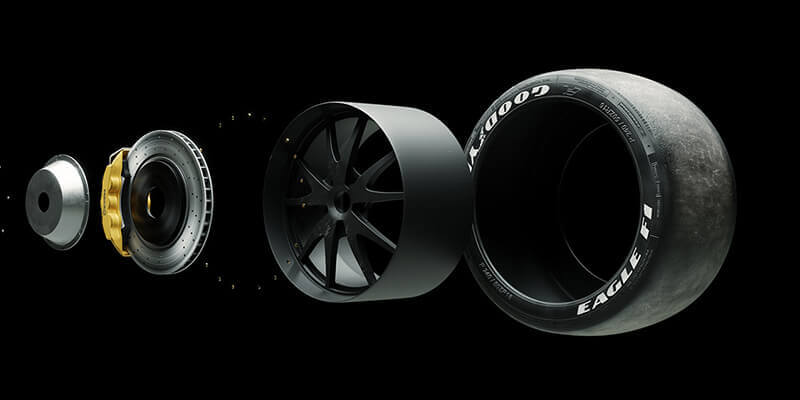
It’s optional for most of the products. Meanwhile, if your product has a complex mechanism, you have the option to use a 3D rendering of your product.
A 3D rendering would let your customer understand the inner mechanism. It makes clear what your products contain from the inside. Your e-commerce visitor won’t resist getting an in-depth view of your product.
Use Terrific Product Description
Along with your image, product description plays a big role in driving sales. I get it; putting up compelling product descriptions looks hard. But it’s not that case if you dig a little deeper.
For example, use bullet lists in your description. Furthermore, focus on the benefits other than the features. Finally, always keep your product description sweet and simple.
Keep Adding Quality Images
Running an Amazon e-commerce store is like a marathon. But, with the mentioned tricks, your sales would boost faster than ever. Well-optimized photos always increase your store’s overall conversion.
However, along with an optimized picture, you must follow the basic technical requirements as well.
No matter what, you must keep adding quality product images. With quality images all around, your sales would get a real spike. So, be persistent with your amazon product image quality. It would turn into a solid reason to increase your sales.
Bordie Capron
Author
“Bordie Capron is a Sr. Content Maker who is working in The Clipping Path Service an US-based image and video post-production company for over 7+ years. She completed her degree in graphic designing and worked as a graphic designing expert for several years. She always loved writing”