The first tool is from Adobe and the second one is from a famous Japanese software firm named Celsys. Right now we are talking about Clip Studio Paint Vs Photoshop. In the current article, you will get a side-by-side comparison of these two tools.
In short, the Clip Studio Paint is best at drawing, conceptual arts, comics, and animation. On the other hand, the Adobe Photoshop raster graphic tool is suitable for photo retouching and manipulation services. The first software is excellent for artists, and another one is best for photo editors. We are going deep into it right below.
Table of Contents
ToggleIntro of Each Software
Before getting into the comparison, let’s get a short intro to each software. It would help you understand each software background better and its usage. Then, let’s get into the core of each software and its origin.
Clip Studio Paint
In short, the clip studio started its service in 2001. This software is great at creating webcomics, drawings, concept art, and similar things. For example, you could work with vectors on the Clip Studio Paint. The software is way more enough than its fellow software Adobe Photoshop.
Photoshop
Photoshop is one of the programs within the suite of Adobe creative clouds. It’s a raster-based graphics editing software. It refers, you could not open and manipulate vectors within the software. The popularity of Photoshop is way more than its competitor, but it’s less known among digital artists.
Clip Studio Paint Vs Photoshop: Key Comparison
Let’s start the comparison between these two software’s. We are going deep into the details of the two software. It would help you to get better concepts of software and usage. Let’s start the process right now.
Interface
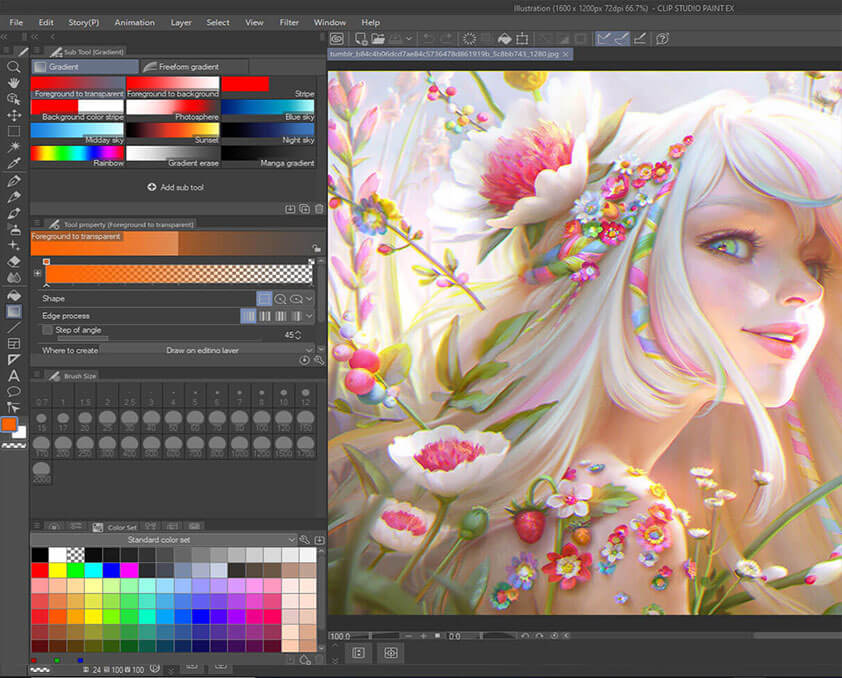
Clip Studio Paint is great for drawing and creating comics. It’s a lot suitable for using a drawing pin on the interface. Plus, it offers better features when it comes to custom drawing brushes. But sometimes, it can get a bit messy, which is why you may need to do organizing to start drawing on it.
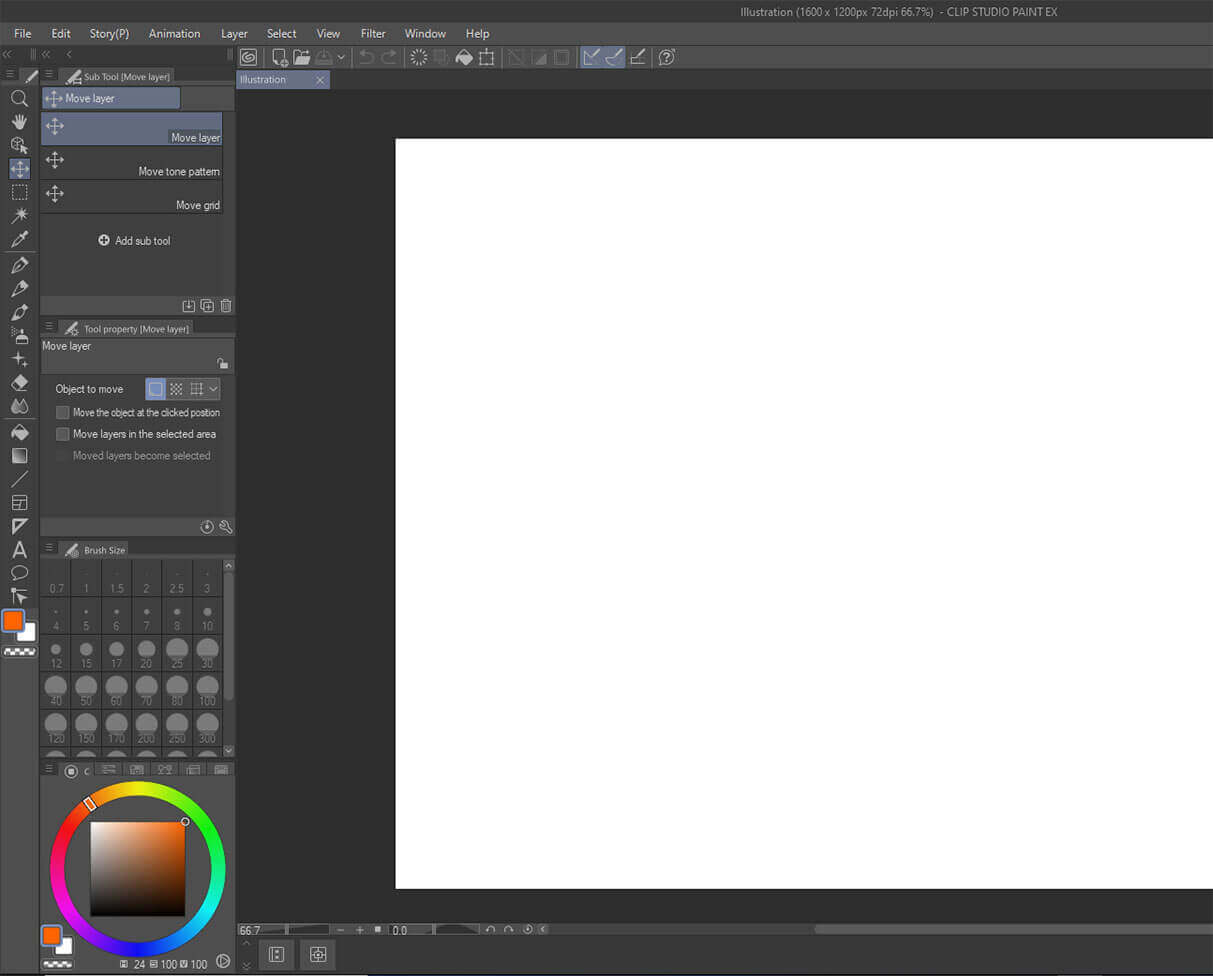
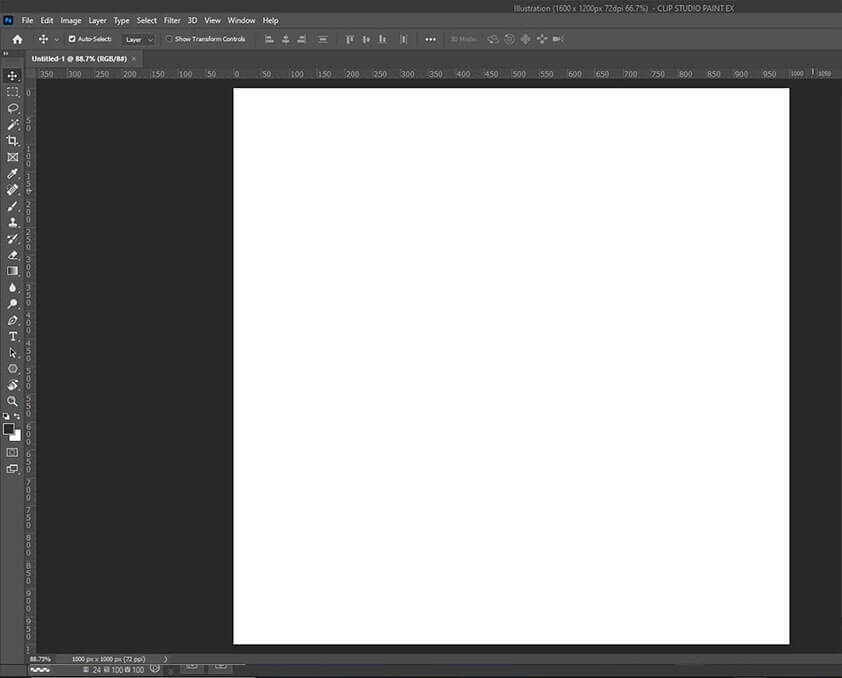
Photoshop wins the race from the Clip Studio Paint when it comes to interface. The interface of Photoshop is a lot simpler and spread out. As a result, we could say that Photoshoot is more user-friendly for beginners.
Features
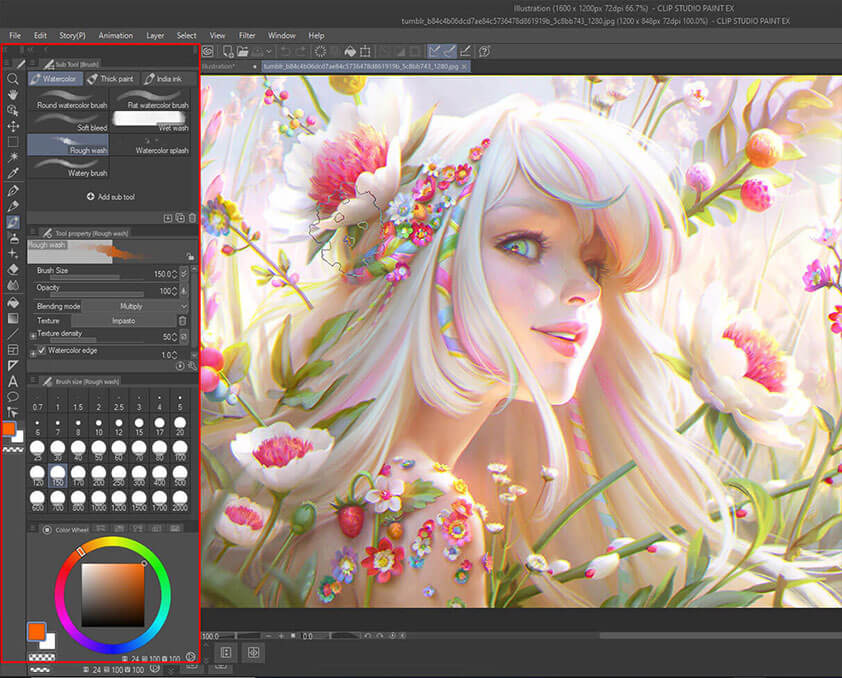
Talking about features, Clip Studio Paint has many features specialized for drawing and creating conceptual arts. Plus, it provides excellent brush stabilization features unavailable in Photoshop. But, you may find a bit fewer features for applying effects and further adjustment.
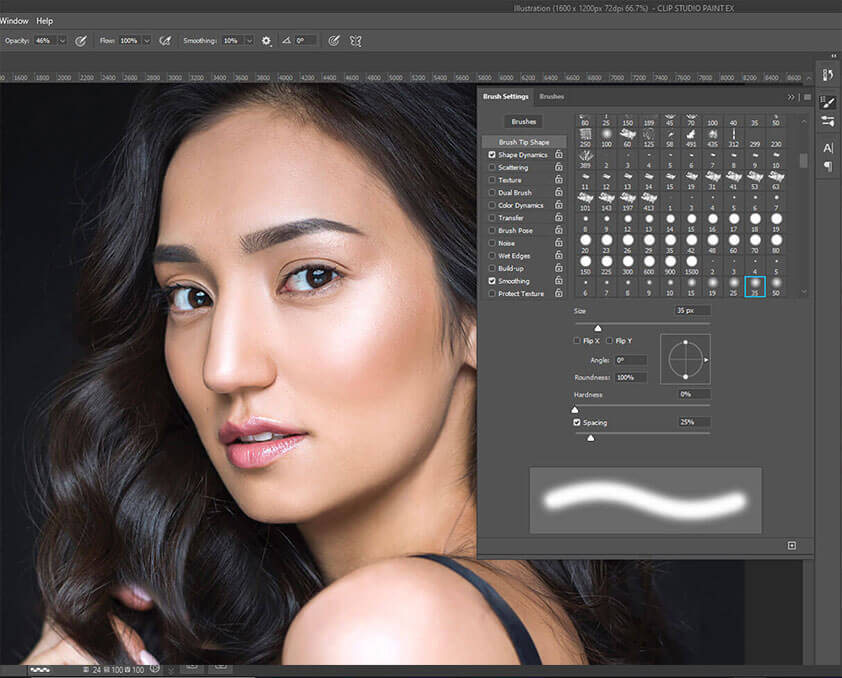
Photoshop offers great features, and its tools are widely known to everyone. Due to its easy-to-understand features, professionals and beginners love to use the software a lot. As I have mentioned, you would get great adjustment features within Photoshop. Plus, the effects are worth the time and effort.
Color Theme
Clip Studio Paint features a tremendous built-in color wheel to draw excellent illustrations. Thus, you don’t have to install external plugins for the color wheel like Photoshop. Plus, adjusting colors is seamless and offers total control over the color palette.
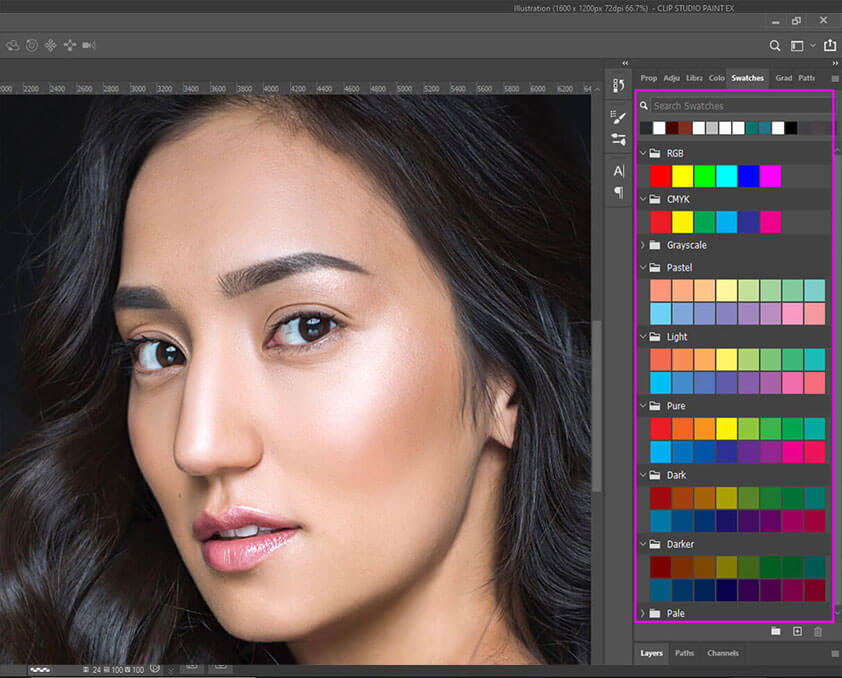
Photoshop has a built-in color wheel, but it’s not as efficient as on the Clip Studio Paint. In addition, even though Photoshop offers options to add external plugins, it’s much of a hassle. Yet, you must take some time to get used to the color wheels.
Plugins
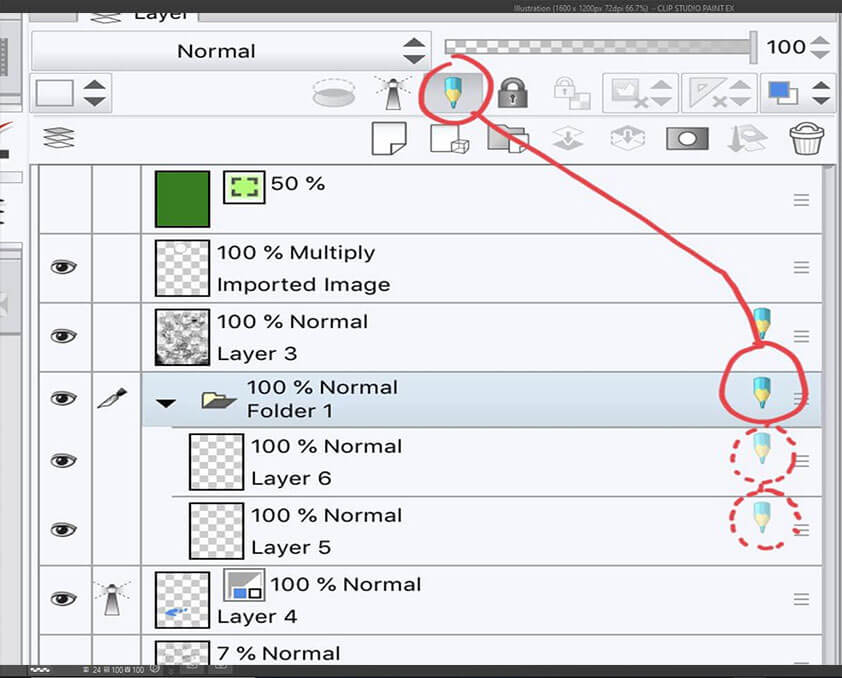
You have a great bunch of plugins within Clip Studio Paint. But it doesn’t have a vast library of plugs like in Photoshop. Still, the plugins are great to use and provide you with perfect solutions. But, the Clip Studio Paint US version’s plugins were available a lot later than their Japanese counterparts.
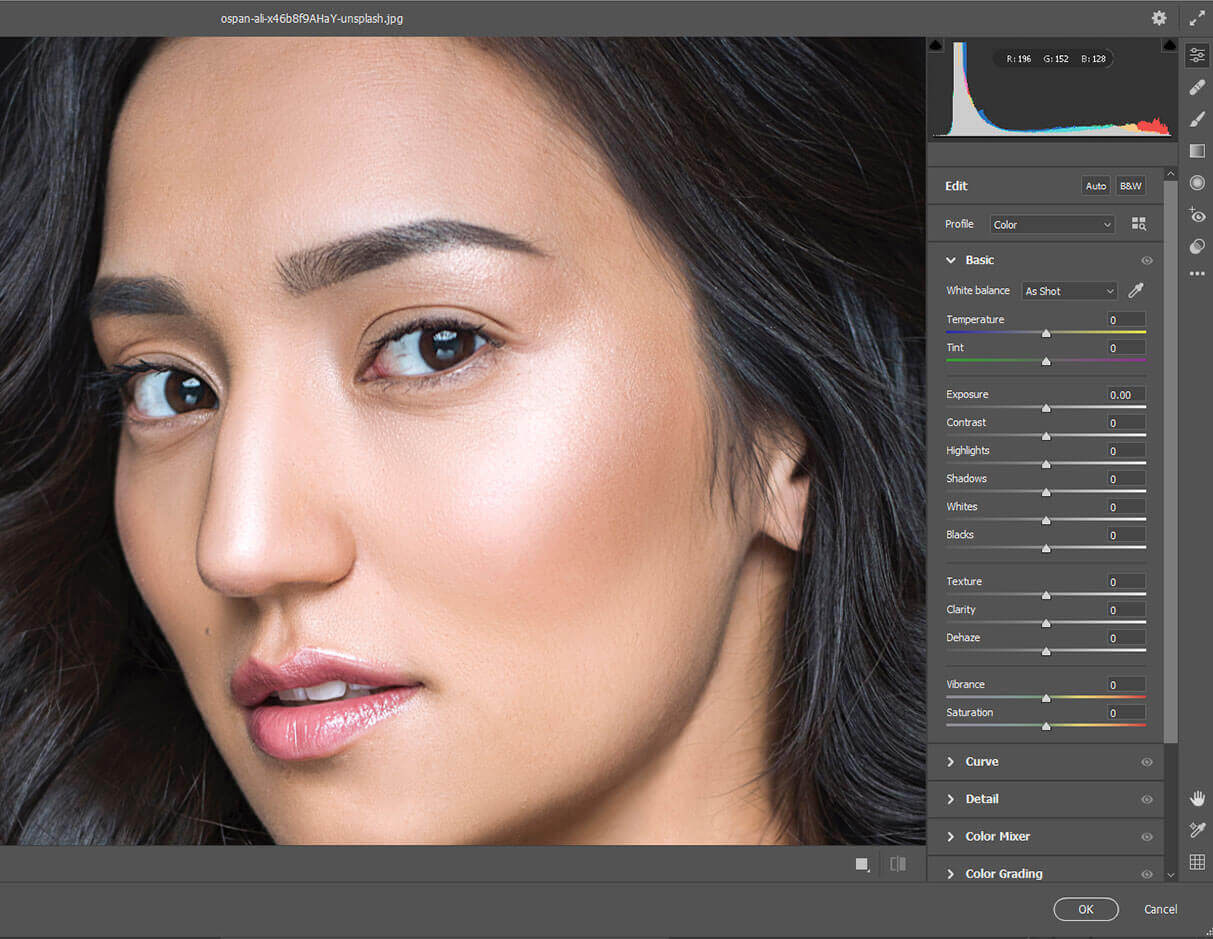
Photoshop offers an abundance of custom plugins. Plus, it features a marketplace where the community could create and sell custom plugins. So it’s most likely anyone would get plugins no matter what the project is about. By the way, Photoshop doesn’t feature high-quality scripts for drawings.
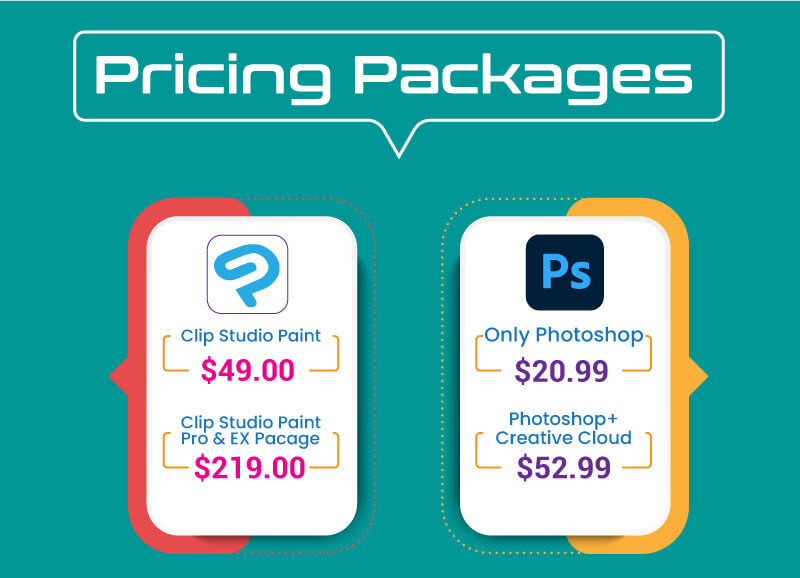
Pricing Packages
Clip Studio Paint features a one-time purchase with two different software versions. For instance, it has the Pro and EX package of the tool at $49 and $219. The Pro package is for concept illustration, character art, and similar. Yet the Ex package is for comic book creation and other advanced tasks.
Let’s talk about the pricing of Adobe Photoshop. It would cost $20.99 per month only for Photoshop. Yet, you could get Photoshop with the creative cloud subscription, and the cost is $52.99 each passing month. Overall, Photoshop is way more expensive than Clip Studio Paint.
Support Stuff
Clip Studio Paint doesn’t have the exact support staff and resources as Photoshop. Still, the software customer support team provides you with great answers. Further, the resources pages are great for new users to find new guidelines and tutorials.
Photoshop comes with a huge support base from Adobe. As it’s one of the popular software of Adobe, the company gives high priority to its issues. Plus, most likely, you would find a tutorial about the different issues on Youtube or other platforms.
Performance
It’s a lot clearer that Clip Studio Paint contains a lot of tools and features to run. But, perhaps, it needs a higher amount of resources. In addition, you need decent computer configurations to run the following software with smooth speed.
The older versions of Photoshop take a lot of fewer resources to run. But the interesting fact is that Photoshop requires a higher amount of resources with new updates. Still, it’s a much lesser requirement than Clip Studio Paint needs.
Read More: How long it will take to learn Photoshop
Is Clip Studio Paint Worth It Over Photoshop?
When it comes to drawing and illustration, the Clip Studio Paint wins all the time. Because it offers the most suitable features like brush, color theme, customization, and others, but, in Photoshop, anyone would find better image manipulation features.
In short, as an artist — anyone would prefer Clip Studio Paint over Photoshop as you are getting so many features related to drawing. When comparing Clip Studio Paint vs. Photoshop animation, the first software wins.
Frequently Asked Questions
Below are the questions related to Clip Studio Paint Vs Photoshop.
You need at least 2 GB of memory on the computer device to run the program with smooth speed. It’s recommended to have 8 GB of memory to run the Clip Studio Paint. The performance and requirement may vary depending on the image you create and the number of layers the image may contain.
The Clip Studio Paint has a professional package where people use it to create animation, comics, and other tasks. For example, professionals use the software to develop manga-style comic series and animation. High-end game studios use it to create their character design.
Photoshop needs a monthly fee of $9.99. you could get Photoshop with a Creative Cloud subscription which would cost around $52.99. The pricing can go up or down depending on the offering from Adobe.
Bordie Capron
Author
“Bordie Capron is a Sr. Content Maker who is working in The Clipping Path Service an US-based image and video post-production company for over 7+ years. She completed her degree in graphic designing and worked as a graphic designing expert for several years. She always loved writing”